首页
产品中心
折扣
ZibBox主题
建站笔记
子比主题
7B2主题
RiTheme
WP插件
绿色软件
实用
图片素材
精美
关于我们
About
用户协议
隐私政策
免责声明
友情链接
登录
注册
首页
产品中心
折扣
ZibBox主题
建站笔记
子比主题
7B2主题
RiTheme
WP插件
绿色软件
实用
图片素材
精美
关于我们
About
用户协议
隐私政策
免责声明
友情链接
开通会员 尊享会员权益
登录
注册
找回密码
快速登录
QQ登录
微信登录
3.3W+
3866
1
更多资料
搜索内容
汇聚访
UID:1
已加入汇聚访257天
总消费:0
11枚徽章
河南省驻马店市
管理员
关注
私信
文章
376
收藏
0
评论
5
粉丝
1
发布
376
排序
最新发布
最近更新
最多查看
最多点赞
最多回复
最多收藏
销售数量
2025-08-22
08-22
实用
子比主题 – 网站文章内容弹窗提示(两款弹窗)
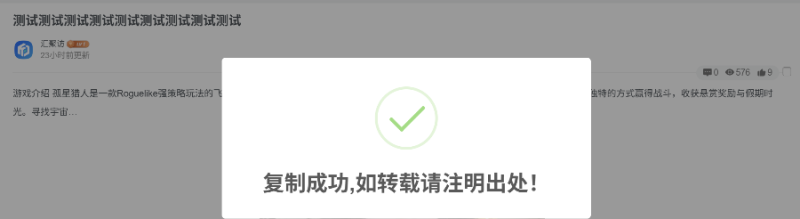
大家好,今天汇聚访给大家带来两款网站文章内容弹窗提示,复制的时候会弹出弹窗,整体效果还是不错的,第二款的弹窗是在内容末尾加版权信息,有喜欢的的自行部署吧! 演示效果: 第一款: 第二款: 代码部署: [hidecontent type="reply"] 第一款第二款 将下面的代码放到:子比主题–>>自定义javascript代码即可! /* 复制提示 */ document.body.oncopy = function(){Swal.fire({allowOutsideClick:false,type:'success',title: '复制成功,如转载请注明出处!',showConfirmButton: false,timer: 2000});}; /*汇聚访:www.huijuf.com*/ 随后将下面的代码放到:子比主题–>>自定义底部HTML代码即可! <!-- 复制提示框 --> <script src="https://cdn.jsdelivr.net/npm/sweetalert2@8"></script> 将下面的代码放到:子比主题–>>自定义底部HTML代码即可,自行修改文字! <script type="text/javascript" src="https://cdnjs.cloudflare.com/ajax/libs/layui/2.6.8/layui.min.js"></script> <!-- 复制自动添加版权声明 --> <script type="text/javascript"> $(document).on("copy",...
3个月前
建站笔记
2025-12-14
12-14
实用
子比主题 – 新文章轮播小工具
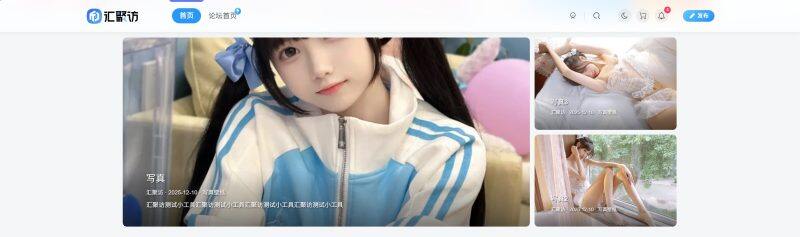
这是一款适配于子比主题的新文章轮播小工具,此小工具是左一右二排列的,同时此小工具还可以自定义轮播的文章ID以及是否显示作者、日期等相关信息,同时还可以单独设置每个轮播组件的切换效果,有需要的朋友自行部署吧! 演示效果: 代码部署: [hidecontent type="reply"] 定位:/wp-content/themes/zibll/func.php添加以下代码即可: Zib_CFSwidget::create('zib_widget_new_carousel',array('title'=>'New轮播图','zib_title'=>true,'zib_affix'=>true,'zib_show'=>true,'description'=>'左侧轮播+右侧双栏,支持5种切换效果','fields'=>array(array('id'=>'height','type'=>'number','title'=>'模块高度','default'=>400,'unit'=>'px'),array('id'=>'right_width','type'=>'number','title'=>'右侧宽度','default'=>300,'unit'=>'px'),array('id'=>'left_posts','type'=>'text','title'=>'左侧文章ID','desc'=>'多个用逗号分隔,留空自动获取'),array('id'=>'right_top_posts','type'=>'text','title'=>'右上文章ID','desc'=>'多个用逗号分隔,留空自动获取'),array('id'=>'right_bottom_posts','type'=>'text','title'=>'右下文章ID','desc'=>'多个用逗号分隔,留空自动获取'),array('id'=>'left_effect','type'=>'select','title'=>'左侧切换效果','options'=>array('slide'=>'滑动','fade'=>'淡出淡入','cube'=>'3D方块','coverflow'=>'3D滑入','flip'=>'3D翻转'),'default'=>'slide'),array('id'=>'right_top_effect','type'=>'select','title'=>'右上切换效果','options'=>array('slide'=>'滑动','fade'=>'淡出淡入','cube'=>'3D方块','coverflow'=>'3D滑入','flip'=>'3D翻转'),'default'=>'fade'),array('id'=>'right_bottom_effect','type'=>'select','title'=>'右下切换效果','options'=>array('slide'=>'滑动','fade'=>'淡出淡入','cube'=>'3D方块','coverflow'=>'3D滑入','flip'=>'3D翻转'),'default'=>'fade'),array('id'=>'autoplay','type'=>'switcher','title'=>'自动播放','default'=>true),array('id'=>'interval','type'=>'number','title'=>'播放间隔(秒)','default'=>4,'dependency'=>array('autoplay','==',true)),array('id'=>'show_info','type'=>'checkbox','title'=>'显示信息','inline'=>true,'options'=>array('show_author'=>'作者','show_date'=>'日期','show_category'=>'分类','show_tags'=>'标签'),'default'=>array('show_author','show_date','show_category')),array('id'=>'text_style','type'=>'fieldset','title'=>'文字样式','inline'=>true,'fields'=>array(array('id'=>'title_length','type'=>'number','title'=>'标题字数','default'=>30),array('id'=>'excerpt_length','type'=>'number','title'=>'摘要字数','default'=>50),array('id'=>'text_shadow','type'=>'switcher','title'=>'文字阴影','default'=>true)))))); function zib_widget_new_carousel($args,$instance){if(!Zib_CFSwidget::show_class($instance))return;$cfg=array_merge(array('height'=>400,'right_width'=>300,'left_effect'=>'slide','right_top_effect'=>'fade','right_bottom_effect'=>'fade','autoplay'=>true,'interval'=>4,'show_info'=>array(),'text_style'=>array()),$instance);$show_cfg=array_flip($cfg['show_info']);$posts=array('left'=>nc_get_posts($cfg['left_posts']??'',5),'top'=>nc_get_posts($cfg['right_top_posts']??'',3),'bottom'=>nc_get_posts($cfg['right_bottom_posts']??'',3));if(!array_filter($posts))return;$id='nc-'.uniqid();$shadow=($cfg['text_style']['text_shadow']??true)?'text-shadow:1px 1px 2px rgba(0,0,0,0.8);':'';Zib_CFSwidget::echo_before($instance);echo'<div class="new-carousel-wrap" id="'.$id.'">';$areas=array('left'=>array('height'=>$cfg['height'],'class'=>'nc-left-wrap','pagination'=>true,'button'=>true,'effect'=>$cfg['left_effect'],'interval'=>$cfg['interval']*1000),'top'=>array('height'=>($cfg['height']-10)/2,'class'=>'nc-right-top-wrap','pagination'=>true,'button'=>false,'effect'=>$cfg['right_top_effect'],'interval'=>$cfg['interval']*1000+1000),'bottom'=>array('height'=>($cfg['height']-10)/2,'class'=>'nc-right-bottom-wrap','pagination'=>true,'button'=>false,'effect'=>$cfg['right_bottom_effect'],'interval'=>$cfg['interval']*1000+2000));if($posts['left']){echo'<div class="nc-left-wrap">';nc_render_slider($posts['left'],$areas['left'],$show_cfg,$cfg['text_style'],true);echo'</div>';}if($posts['top']||$posts['bottom']){echo'<div class="nc-right-wrap">';if($posts['top']){echo'<div class="nc-right-top-wrap">';nc_render_slider($posts['top'],$areas['top'],$show_cfg,$cfg['text_style'],false);echo'</div>';}if($posts['bottom']){echo'<div class="nc-right-bottom-wrap">';nc_render_slider($posts['bottom'],$areas['bottom'],$show_cfg,$cfg['text_style'],false);echo'</div>';}echo'</div>';}echo'</div><style>#'.$id.'{display:flex;gap:10px;height:'.$cfg['height'].'px;border-radius:8px;overflow:hidden}#'.$id.' .nc-left-wrap{flex:1;position:relative;border-radius:8px;overflow:hidden}#'.$id.' .nc-right-wrap{width:'.$cfg['right_width'].'px;display:flex;flex-direction:column;gap:10px}#'.$id.' .nc-right-top-wrap,#'.$id.' .nc-right-bottom-wrap{flex:1;position:relative;border-radius:8px;overflow:hidden}#'.$id.' .zib-slider{height:100%}#'.$id.' .new-swiper{height:100%;border-radius:8px;overflow:hidden}#'.$id.' .nc-right-top-wrap .swiper-pagination,#'.$id.' .nc-right-bottom-wrap .swiper-pagination{bottom:8px}#'.$id.' .nc-right-top-wrap .swiper-pagination-bullet,#'.$id.' .nc-right-bottom-wrap .swiper-pagination-bullet{width:6px;height:6px;margin:0 3px}#'.$id.' .swiper-slide::before{content:"";position:absolute;bottom:0;left:0;right:0;height:30%;background:linear-gradient(to top,rgba(0,0,0,0.5)...
3天前
建站笔记
2025-05-01
05-01
实用
子比主题 – 下拉菜单猫耳朵样式
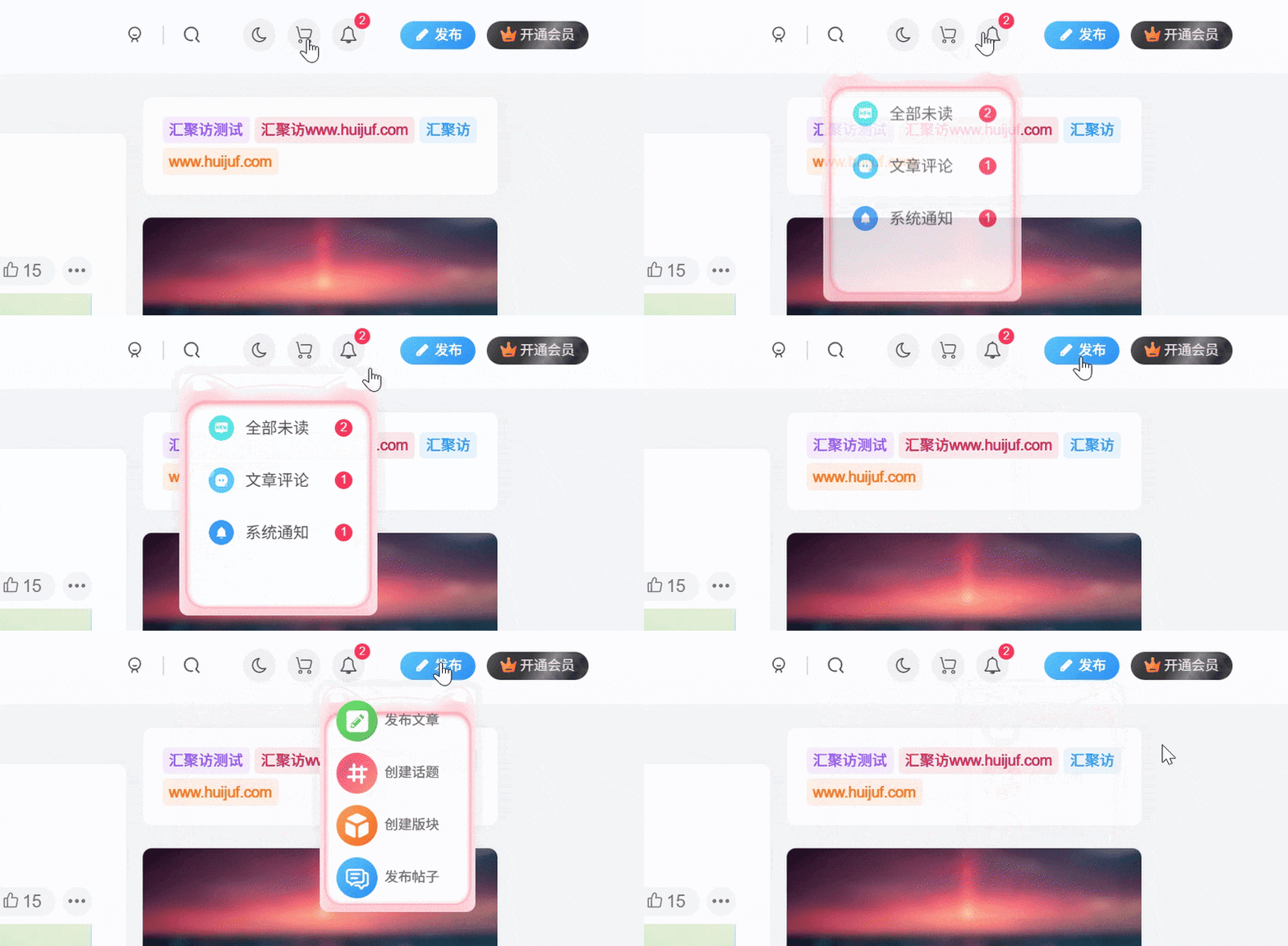
这是一款子比主题的下拉菜单猫耳朵样式,此效果会给一部分下拉菜单添加猫耳朵的背景图层,适合那些使用子比主题同时还是ACG风格的站点,话不多说了,有喜欢的自行部署吧! 演示效果: 代码部署: [hidecontent type="reply"] 定位:子比主题设置–>>自定义代码–>>自定义 CSS 样式添加以下代码即可: /*悬浮按钮猫耳朵www.huijuf.com*/ .dropdown-menu { margin-bottom: 10px; border: none; box-sizing: border-box; padding: 25px 12px 50px; border-radius: 8px; background: url(https://pic1.imgdb.cn/item/693157d6a11464095f8ab5cb .png) no-repeat 50%; -webkit-background-size: 100% 100%; -moz-background-size: 100% 100%; background-size: 100%...
6个月前
建站笔记
2025-05-13
05-13
实用
子比主题 – 后台美化插件
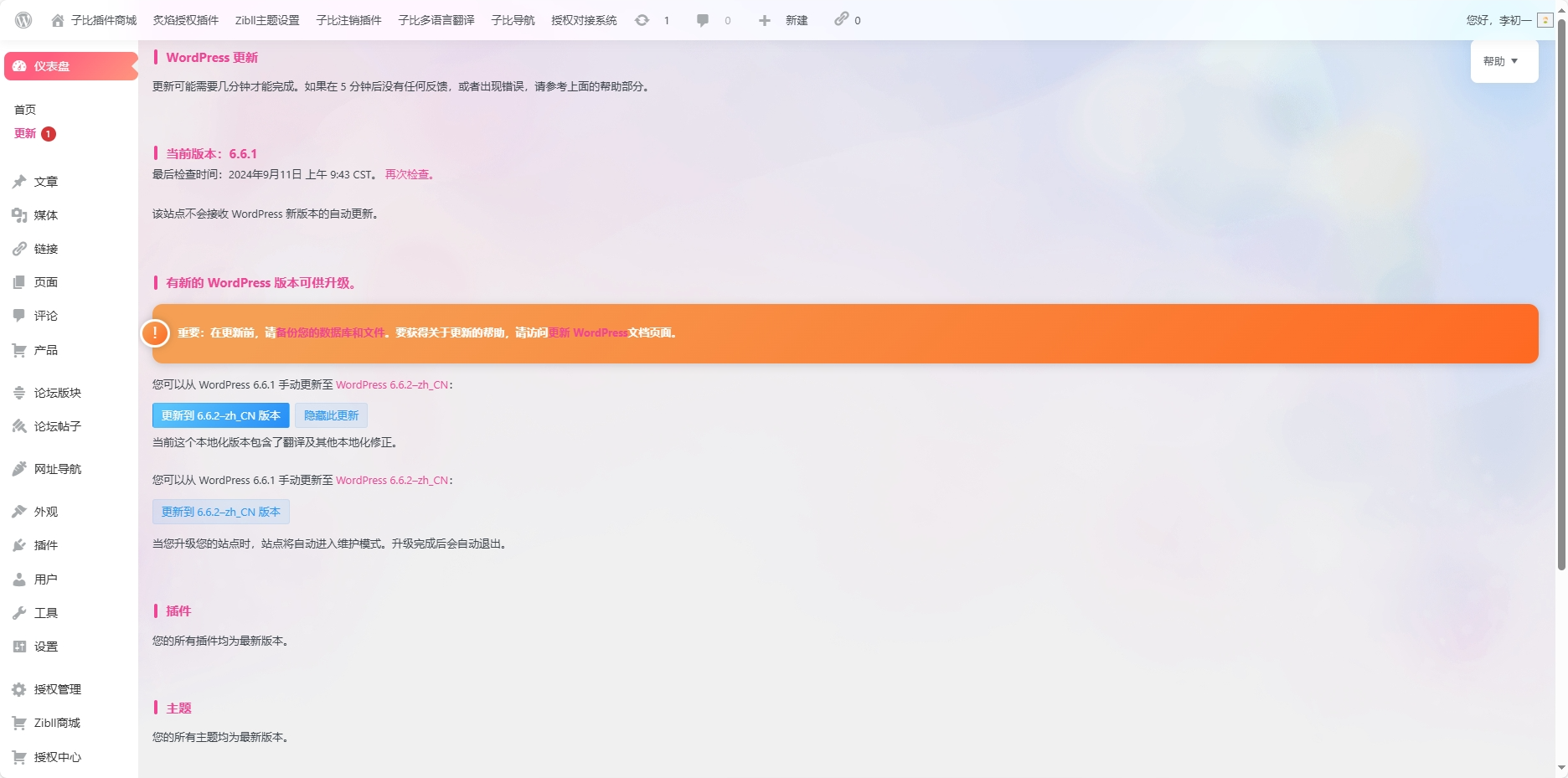
在当今互联网时代,WordPress已经成为了最受欢迎的内容管理系统之一。然而,对于...
6个月前
功能插件
2025-10-25
10-25
实用
Ri主题 – 高级搜索模块美化
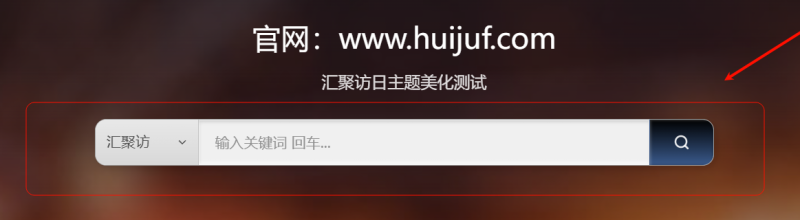
这是对Ri主题的高级搜索模块美化,适配了白天以及黑夜模式,使用前你得先开启主题的这个模块否则修改了也无用,搜索热词我并没有调整太多的样式,如果用得到的话自己适配吧,需要的自行部署吧! 演示效果: 代码部署: [hidecontent type="payshow"] CSSPHP 定位:主题后台设置 - 基本设置 - 自定义CSS样式代码中添加以下代码: /*汇聚访:www.huijuf.com*/ .huijuf-search-container { width: 100%; max-width: 600px; margin: 0 auto; position: relative; } .huijuf-search-form { width: 100%; } .huijuf-search-wrapper { display: flex; height: 45px;...
1个月前
建站笔记
2025-05-01
05-01
实用
子比主题 – 时间胶囊剩余进度小工具
这是一款子比主题时间胶囊剩余进度小工具,给子比侧边加一个剩余进度的非常美观,这款时间进度小工具主要由HTML+CSS+jQuery制作而成,我这边代码都合到一起了!唯一的缺点就是黑夜模式没适配,需要的自行部署吧! 演示效果: 代码部署: [hidecontent type="reply"] 将下面的代码放到:WP后台–>>外观–>>小工具–>>自定义HTML,建议放到:文章页-侧边栏 <style type="text/css"> .time-schedule-main{/*background-color: white;*/border-radius: 8px;display: flex; justify-content: space-evenly; align-items: center;}.today-schedule,.toweek-schedule,.tomonth-schedule,.toyear-schedule{display: inline-block;width: 50px;height: 100px;background-color: white;border: 1px solid #eee;border-radius: 99px;}.wiiuii-schedule-item{position: relative;width: 100%;height: 100%;overflow: hidden;border-radius: 99px;}.today-item,.toweek-item,.tomonth-item,.toyear-item{position: absolute;background-image: linear-gradient(to right, #a18cd1 0%, #fbc2eb...
6个月前
建站笔记
2025-12-15
12-15
实用
子比主题 – 鼠标冒泡拖尾样式
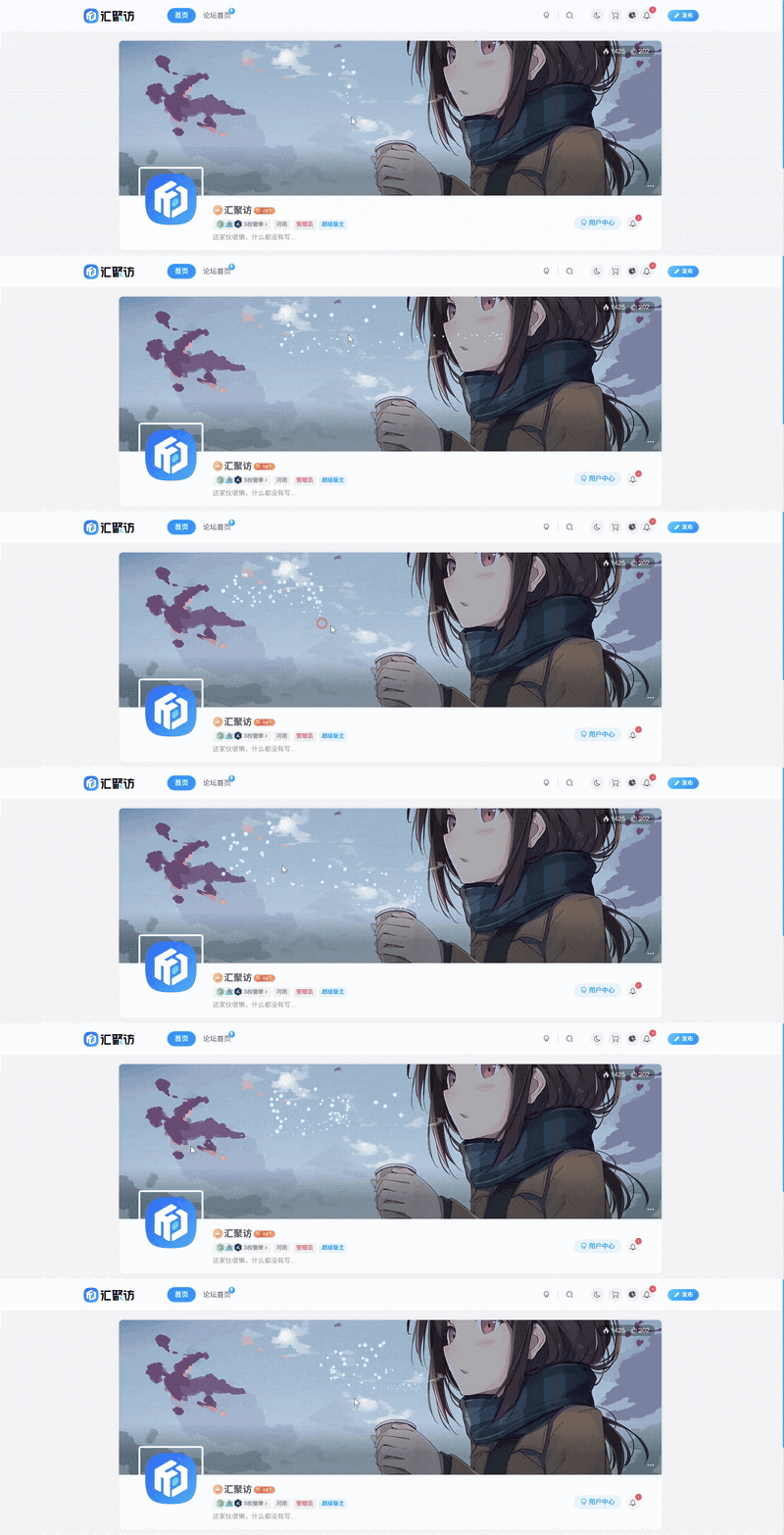
这是一款子比主题的鼠标冒泡拖尾样式,之前圈子里有好几款鼠标拖尾样式,但是都不是特别好看有点太花哨了,汇聚访不太喜欢花哨的,今天给大家带来一款冒泡样式,十分好看,有喜欢的朋友自行部署吧! 演示效果: 代码部署: [hidecontent type="payshow"] 定位:后台子比主题设置–>>自定义代码–>>自定义 javascript中添加以下代码: /*汇聚访www.huijuf.com*/ $(function() { function t(t) { function i(t) { d = document.createElement("canvas"), f = d.getContext("2d"), d.style.top = "0px", d.style.left = "0px", d.style.pointerEvents = "none", r ? (d.style.position =...
前天
建站笔记
2025-08-02
08-02
HTML源码 – 毛玻璃卡片维护页面源码
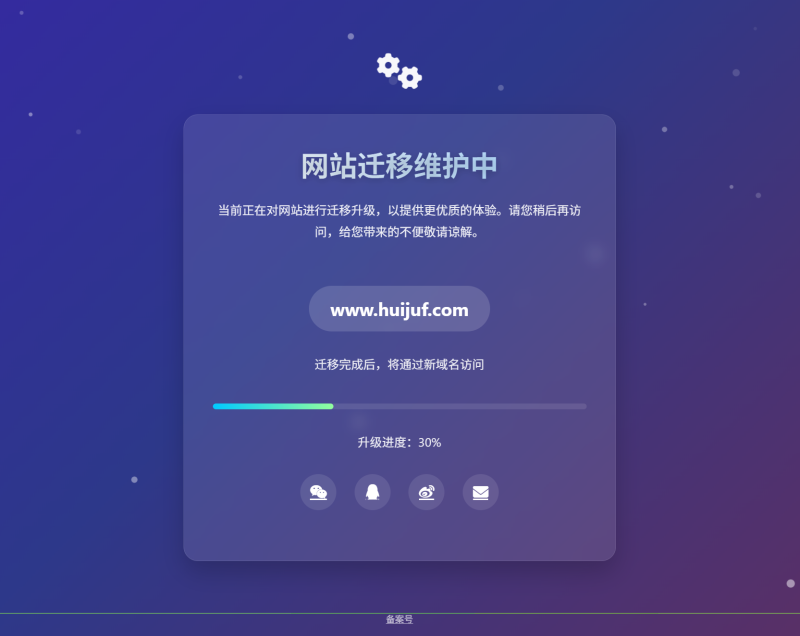
这是一款毛玻璃卡片维护页面源码,带有微妙阴影,悬停时卡片上浮增强交互感,新域名突出显...
3个月前
html源码
2025-04-29
04-29
实用
子比主题 – 分页按钮渐变美化
这是给子比主题的分页按钮添加的一款渐变风格的美化。使用此美化效果前记得先在后台设置中将列表翻页模式选项设置为数字翻页按钮,此美化效果本站也在使用,还是挺不错的,有喜欢的自行部署吧! 演示效果: 代码部署: [hidecontent type="payshow"] 定位:子比主题设置–>>自定义代码–>>自定义 CSS 样式添加以下代码即可: /*页码样式微调www.huijuf.com*/ .pagenav .current, .pagenav .page-numbers, .pagenav a { border: 0; padding: 8px 14px; background: linear-gradient(148deg, hsla(0, 0%, 100%, 0), var(--main-bg-color)); -webkit-box-shadow: 0 0 8px 0 rgba(95, 95,...
7个月前
建站笔记
2025-05-24
05-24
实用
子比主题 – notyf提示框扫光效果美化
今天逛别人站点的时候,发现这个效果很好看,于是就扒了下来,今天就分享给大家吧!原作者是墨星哈! 演示效果: 代码部署: [hidecontent type="payshow"] 复制下面css代码 进入子比主题设置-全局-自定义代码-自定义css代码 .notyf{border-radius:var(--main-radius) 0 0 var(--main-radius);position:relative;overflow:hidden;backdrop-filter:blur(8px);box-shadow:0 8px 32px rgba(0,0,0,0.1);transition:all 0.3s ease}.notyf:hover{transform:translateY(-2px);box-shadow:0 12px 40px rgba(0,0,0,0.2)}@keyframes ripple{0%{background-position:0% 50%;box-shadow:0 0 25px rgba(255,255,255,0.4)}50%{background-position:100% 50%;box-shadow:0 0 40px rgba(255,255,255,0.5)}100%{background-position:0% 50%;box-shadow:0 0 25px rgba(255,255,255,0.4)}}@keyframes shine{0%{transform:translateX(-100%) translateY(-100%) rotate(25deg);opacity:0}25%{opacity:0.5}75%{opacity:0.5}100%{transform:translateX(100%)...
6个月前
建站笔记
上一页
1
…
5
6
7
8
9
…
38
下一页
跳转
随便逛逛
博客标签
新窗口打开
复制链接地址
复制选中文本
粘贴文本
站内搜索
百度搜索
复制此图片
下载此图片
用户协议
免责声明
复制地址
关闭热评
轉為繁體
切换模式
热评
登录
没有账号?立即注册
邮箱
验证码
发送验证码
记住登录
账号密码登录
登录
用户名或邮箱
登录密码
记住登录
找回密码
|
免密登录
登录
社交账号登录
QQ登录
微信登录
使用社交账号登录即表示同意
用户协议
、
隐私声明
注册
已有账号,立即登录
设置用户名
邮箱
验证码
发送验证码
设置密码
注册
已阅读并同意
用户协议
、
隐私声明
扫码登录
使用
其它方式登录
或
注册
扫码登录
扫码登录即表示同意
用户协议
、
隐私声明
开通会员享特权
专属内容无限访问
下载权限提升至最高级
专属子比付费美化优惠
免费下载更多精品资源
¥29.9
¥39.9
Vip会员 · 立省30元
立即开通
每日签到
在线
扫码关注公众号
获取更多专属内容和最新资讯
展开全屏
返回顶部




 汇聚访
汇聚访