开通会员 尊享会员权益
登录
注册
找回密码
快速登录
QQ登录
微信登录
首页
产品中心
ZibBox主题
Hot
建站笔记
主题美化
子比主题
RiTheme
B2主题
精美素材
图文素材
插件相关
WP插件
绿色软件
实用
关于我们
About
用户相关
用户协议
隐私政策
免责声明
儿童个人信息保护声明
个人信息保护咨询指引
服务相关
广告合作协议
侵权投诉指引
软件许可协议
文章版权声明
站点聚合统计
站点相关
小黑屋
友情链接
赞助发电
正版查询
简体中文
English
한국어
日本語
登录
注册
简体中文
English
한국어
日本語
首页
产品中心
ZibBox主题
Hot
建站笔记
主题美化
子比主题
RiTheme
B2主题
精美素材
图文素材
插件相关
WP插件
绿色软件
实用
关于我们
About
用户相关
用户协议
隐私政策
免责声明
儿童个人信息保护声明
个人信息保护咨询指引
服务相关
广告合作协议
侵权投诉指引
软件许可协议
文章版权声明
站点聚合统计
站点相关
小黑屋
友情链接
赞助发电
正版查询
开通会员 尊享会员权益
登录
注册
找回密码
快速登录
QQ登录
微信登录
子比主题
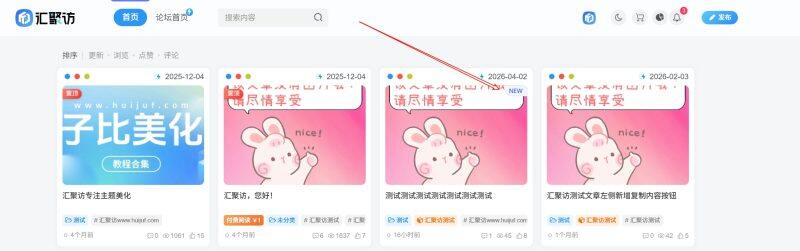
子比主题 – 文章右上角新发布NEW美化
1次下载
258
这是一款为子比主题新增的文章列表样式内部New美化,部署完此代码后,在每次发完新文章的24h之内就会自动在文章列表样式的内部添加一个New标签,过完24h之后自动消失,有喜欢的朋友自行部署吧! 演示效果: 代码部署: [hidecontent type="payshow"] 自定义CSS代码自定义javascript代码文章列表 定位:子比主题设置–>>自定义代码–>>自定义 CSS 样式添加以下代码即可: .posts-item { position: relative!important } .huijuf-new-icon { position: absolute; top: 5px; right: 5px; z-index: 10 } .new-badge { position: relative; display: inline-flex; align-items: center; justify-content: center;...
子比主题
#
建站笔记
子比主题 – 右侧简约客服弹窗样式
141次查看
免费
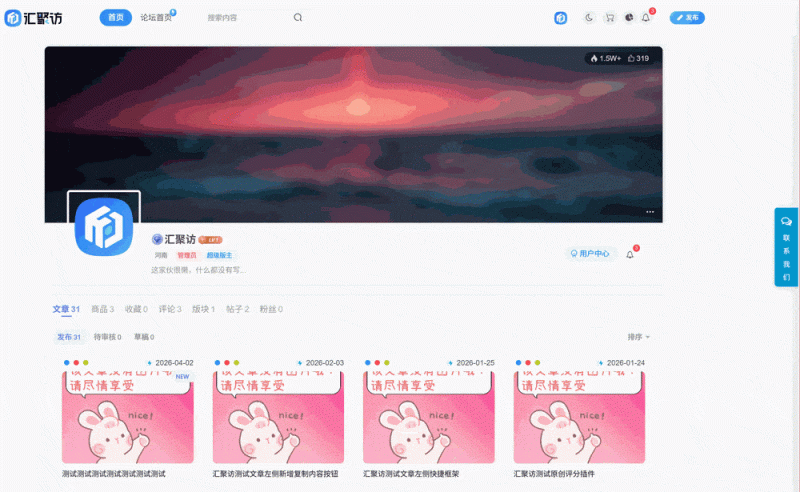
这是一款给子比主题自定义添加的网站全局侧边栏弹窗样式,这款样式效果的效果还是很不错的,在滑动页面的时候会自动隐藏,整体相对是比较简约的,有需要的朋友自行部署吧! 演示效果: 代码部署: [hidecontent type="reply"] 自定义头部HTML代码自定义CSS代码自定义JS代码 定位:子比主题–>>自定义代码–>>自定义头部HTML,将下面的放入进去即可! <div class="zib-kefu-container"> <div class="zib-kefu-btn" id="zibKefuBtn"> <i class="fa fa-comments-o"></i> <span>联系我们</span> </div> <div class="zib-backtop-btn" id="zibBacktopBtn"> <i class="fa fa-arrow-up"></i> </div> <!-- 客服面板 --> <div class="zib-kefu-panel" id="zibKefuPanel"> <div class="zib-kefu-close" id="zibKefuClose"> <i class="fa...
子比主题
#
建站笔记
子比主题 – 底部页脚动物墙美化
1次下载
188
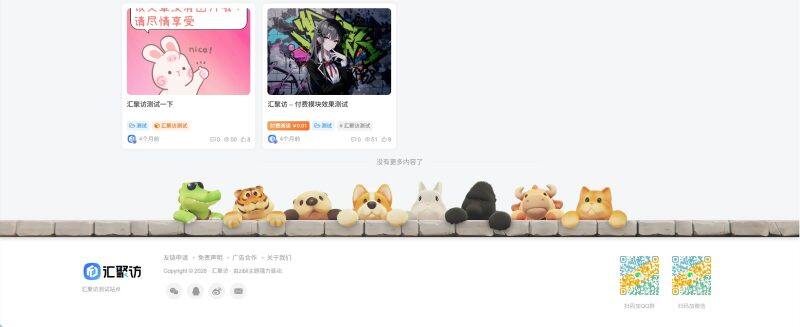
这是给子比主题适配的底部页脚动物墙美化,这款代码是汇聚访从别人二开张洪的主题延申而来的,这款被我移植到了子比上。同时,我这里适也配了手机版,图片引用的我网站的或者存在你自己本地即可,有喜欢的自行部署吧! 演示效果: 代码部署: [hidecontent type="payshow"] footer.phpCSS代码 定位:/wp-content/themes/zibll/footer.php找到以下代码: <footer class="footer"> 在此行代码的上方添加下方代码即可: <div id="footer-animal"><img class="animal entered loaded" src="https://www.huijuf.com/wp-content/themes/zbboxPro/images/animal.png" alt="动物"></div> 定位:子比主题设置–>>自定义代码–>>自定义 CSS 样式添加以下代码即可: #footer-animal { position: relative; } #footer-animal::before { content: ''; position: absolute; bottom: 0; width: 100%;...
子比主题
#
建站笔记
子比主题 – 会员开通引导模块样式
0次下载
258
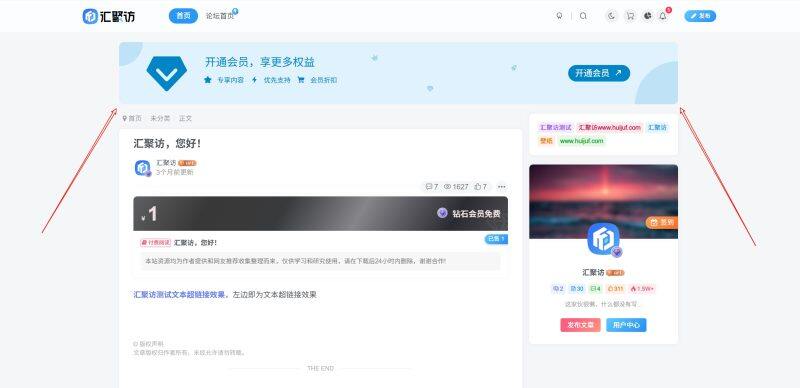
这是给子比主题适配的一款会员开通引导模块样式,这款美化是从别的主题中摘抄出来的,也是属于一款相对较老的美化了,最近有用户问我要了,趁着今天有空发出来,有需要的话自行部署吧! 演示效果: 代码部署: [hidecontent type="payshow"] 小工具代码自定义底部HTML代码 定位:WP后台–>>外观–>>小工具–>>自定义HTML,将下面的代码放里面即可!推荐放置:文章页-顶部全宽度 <style> .huijuf-vip-box{position:relative;width:100%;height:130px;background:#e0f2fe;margin:0 auto;border-radius:10px;overflow:hidden;box-sizing:border-box}.huijuf-vip-box::after{position:absolute;top:0;left:0;transform:translate(-50%,-50%);content:"";width:100px;height:100px;border-radius:50%;background:#0284c7;z-index:1;opacity:0.15}.huijuf-vip-box::before{position:absolute;bottom:0;right:0;transform:translate(50%,50%);content:"";width:180px;height:180px;border-radius:50%;background:#0284c7;z-index:1;opacity:0.15}.huijuf-vip-box > .huijuf-vip-left-icon > i{position:absolute;font-size:100px;z-index:1;color:#0284c7;top:50%;transform:translateY(-50%);left:50px}.huijuf-vip-box > .huijuf-vip-left-text{position:absolute;left:180px;height:100%}.huijuf-vip-box > .huijuf-vip-left-text h2{color:#0284c7;font-size:23px;margin-top:30px;font-weight:400}.huijuf-vip-box > .huijuf-vip-left-text ul{margin:0;padding:0;margin-top:12px}.huijuf-vip-box > .huijuf-vip-left-text ul li{display:inline-block;list-style:none;padding:0 5px;color:#0284c7;transform:translateX(-7px)}.huijuf-vip-box > .huijuf-vip-left-text ul li i{margin-right:8px}.huijuf-vip-box > .huijuf-vip-right-btn{position:absolute;height:35px;width:130px;line-height:33px;text-align:center;text-decoration:none;font-style:normal;background-color:#0284c7;color:#fff;right:100px;top:50%;transform:translateY(-50%);border-radius:30px}.huijuf-vip-box >...
子比主题
#
建站笔记
子比主题 – 个人主页公开/私密功能(升级版)
1次下载
50
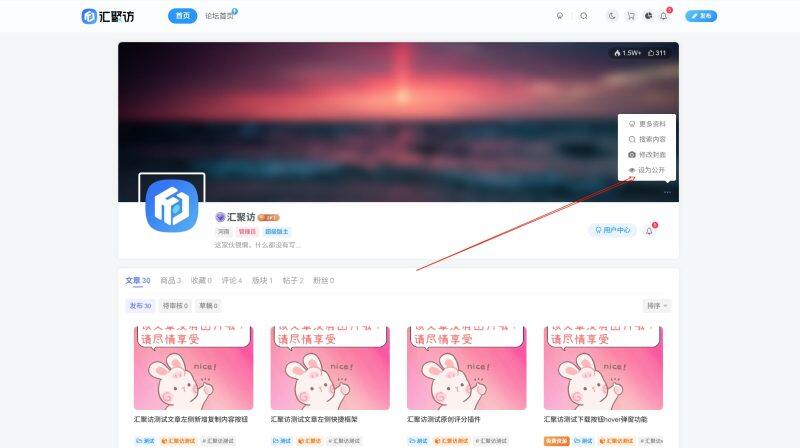
这是一款为子比主题增添的个人主页扩展功能,部署该功能后可在个人主题设置隐私方案,当设置为私密模式的时候,别人将无法看到你的信息信息,这款是汇聚访进行改良过的,外面发的感觉不太好看,有需要的朋友自行部署吧! 演示效果: 代码部署: [hidecontent type="payshow"] func.phpzib-author.php 定位:/wp-content/themes/zibll/func.php,没有这个文件自己创建一个,然后记得加php头,要不然会报错,将下面的代码放里面! add_filter('author_header_drop_lists', 'custom_zib_author_privacy_toggle_btn', 20, 2); function custom_zib_author_privacy_toggle_btn($lists, $author_id) { if (get_current_user_id() !== $author_id) { return $lists; } $is_private = get_user_meta($author_id, 'profile_is_private', true); $text = $is_private ? '设为公开' : '设为私密';...
子比主题
#
建站笔记
子比主题 – 开通会员自动送积分功能
127次查看
免费
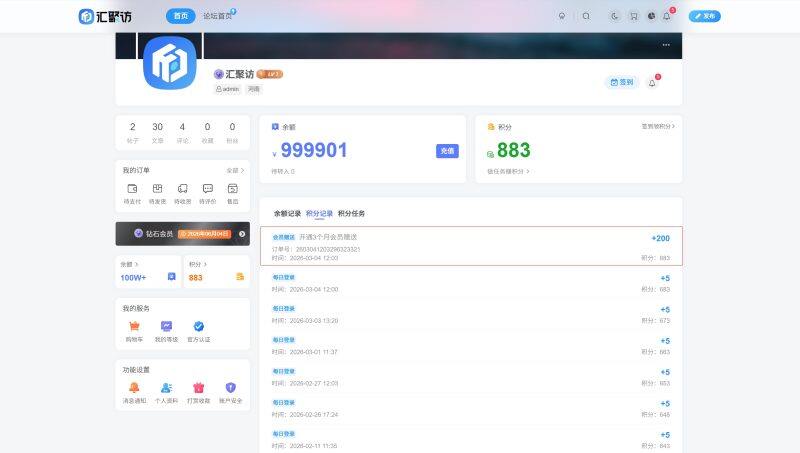
这是给子比主题适配的开通会员自动赠送积分的功能,该功能部署之后会根据用户开通或者续费网站会员的时常赠送用户相对应的积分,赠送的积分以及判定的时间都可自行更改,有需要的自行部署吧! 演示效果: 代码部署: [hidecontent type="reply"] 定位:/wp-content/themes/zibll/func.php,没有这个文件自己创建一个,然后记得加php头,要不然会报错,将下面的代码放里面! // 监听支付成功事件 add_action('payment_order_success', 'zib_vip_payment_give_points', 15); /** * 会员开通/续费送积分 * @param object $pay_order 订单对象 */ function zib_vip_payment_give_points($pay_order) { // 检查是否是会员订单 if (empty($pay_order->user_id) || empty($pay_order->product_id) || 4 != $pay_order->order_type) { return;...
子比主题
#
建站笔记
子比主题 – 侧边最近评论样式美化
0次下载
218
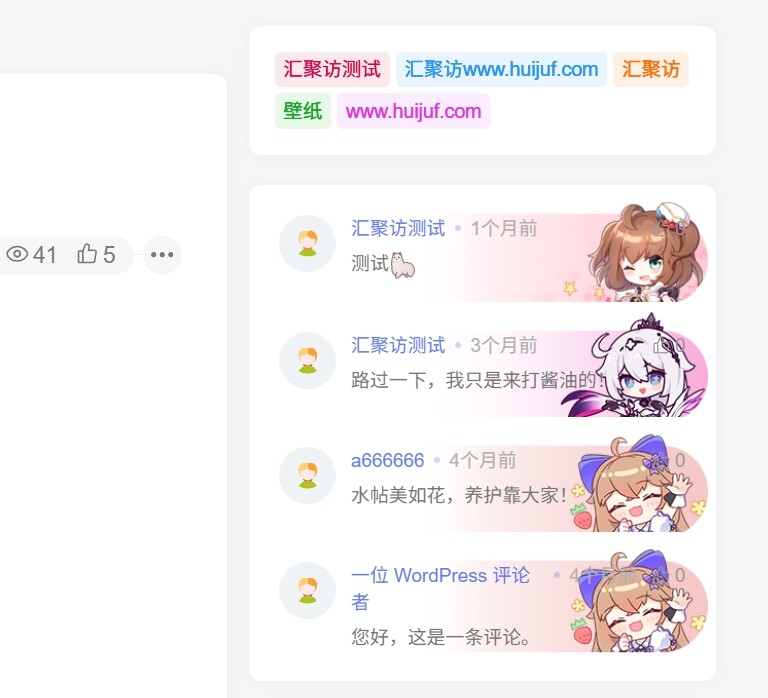
这是一款子比主题侧边最近评论样式美化,这款美化也是相对来说比较早的了,今天汇聚访在浏览别的站点的时候看到了,之前一直忘发了今天给大家补上,东西我都打包好了,有喜欢的自行部署吧! 演示效果: 代码部署: [hidecontent type="payshow"] 上传附件JS代码CSS代码 上传附件我们第一步要做的是将下面的附件上传到:/wp-content/themes/zibll目录下就可以,然后其他的就不用管了,我这边已经打包部署好了,你也不用改,避免改的报错什么的! 附件下载 子比主题侧边最近评论样式美化附件下载提取码jqfm 定位:后台子比主题设置–>>自定义代码–>>自定义 javascript中添加以下代码: // 汇聚访 - 最近评论样式调用JS代码 var postsMiniElements = document.querySelectorAll('.posts-mini'); postsMiniElements.forEach(function(element) { // 生成一个随机的Base64编码字符串 var randomBase64 = btoa(Math.random().toString(36).substr(2, 9)); // 拼接到URL中 var url = '/wp-content/themes/zibll/img/zibbox/uid_img/huijuf-api.php?kid=' +...
子比主题
#
建站笔记
子比主题 – 文章页右上角hover显示当页二维码
154次查看
免费
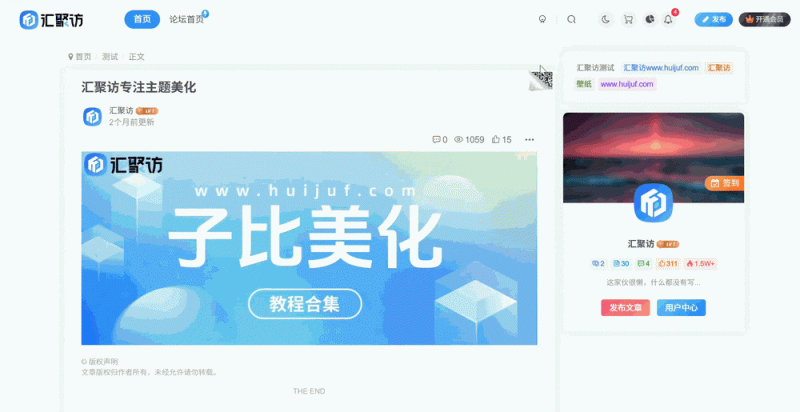
这是给子比主题文章页框架添加的一个显示当页二维码的功能,鼠标悬停时展开显示当前文章链接的二维码,此功能可方便用户用手机扫码访问,是大海写出来的,有用得到的自行部署吧! 演示效果: 代码部署: [hidecontent type="reply"] 定位:/wp-content/themes/zibll/func.php,没有这个文件自己创建一个,然后记得加php头,要不然会报错,将下面的代码放里面! function article_qrcode() { if (!is_single()) return; ?> <style> article.article {position:relative} .qrcode-wrap {position:absolute;top:0;right:0;cursor:pointer;z-index:99} .qrcode-wrap .qrcode-icon {width:45px;height:38px;background:url(https://tirzsjsxujuxsoqj.sh1.hi168.com/2026/02/02/b8ac360e24d3a.png) no-repeat} .qrcode-wrap .hover-show-con {display:none;position:absolute;top:-1px;right:-1px;min-width:180px;padding:20px 20px 15px;text-align:center;background:var(--main-bg-color,#fff);border:1px solid var(--main-border-color,#eee);box-shadow:none} .qrcode-wrap:hover .hover-show-con {display:block} .qrcode-wrap .qrcode {margin:0...
子比主题
#
建站笔记
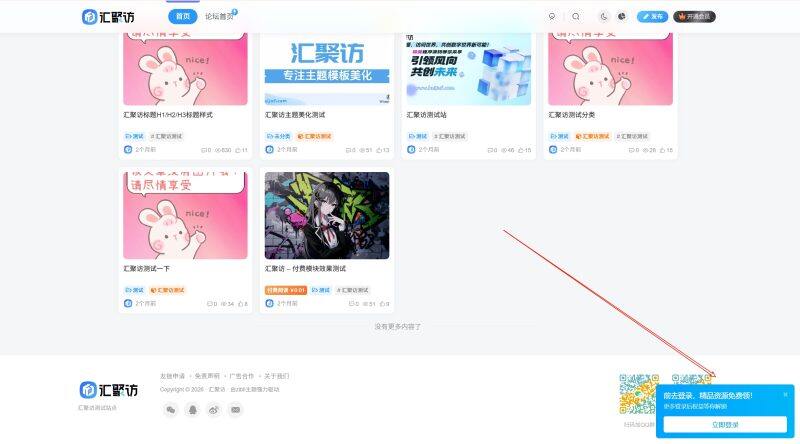
子比主题 – 仿哔哩哔哩登录引导弹窗
0次下载
100
这是一款给子比主题仿造哔哩哔哩的登录引导弹窗样式,此样式在用户打开网站后右下角就会出现,同时可自定义按钮的跳转链接以及弹窗相关文字,有喜欢的朋友自行部署吧! 演示效果: 代码部署: [hidecontent type="payshow"] 定位:WP后台 - 外观 - 小工具中找到所有页面-底部全宽度添加自定义HTML代码: <style> #bilibili-popup { position: fixed !important; right: 16px !important; bottom: 16px !important; z-index: 999999 !important; font-family: "微软雅黑" !important; display: none !important; } #bilibili-popup.show { display:...
子比主题
#
建站笔记
子比主题 – 列表图文模式仿翻页置顶样式
1次下载
158
这是一款给子比主题适配的一款列表图文模式仿翻页置顶样式,当然卡片模式下也是可以使用的,但是在四种列表样式中,列表图文模式效果是最好的,相关素材可放在自己本地引用,有喜欢的自行部署吧! 演示效果: 代码部署: [hidecontent type="payshow"] zib-posts-list.php自定义CSS代码 定位:/wp-content/themes/zibll/inc/functions/zib-posts-list.php搜索: //获取文章列表的标题 然后替换整个zib_get_posts_list_title函数体为下方代码即可: //获取文章列表的标题 function zib_get_posts_list_title($class = 'item-heading') { $get_permalink = get_permalink(); $_post_target_blank = _post_target_blank(); $title = get_the_title() . get_the_subtitle(true, 'focus-color'); $html = '<h2 class="' . $class . '"><a'...
子比主题
#
建站笔记
上一页
1
2
3
4
5
6
…
36
下一页
跳转
随便逛逛
博客标签
文章标签
新窗口打开
复制链接地址
复制选中文本
粘贴文本
站内搜索
百度搜索
复制图片地址
下载此图片
用户协议
免责声明
复制地址
转为繁体
切换模式
登录
没有账号?立即注册
邮箱
验证码
发送验证码
记住登录
账号密码登录
登录
用户名或邮箱
登录密码
记住登录
找回密码
|
免密登录
登录
社交账号登录
QQ登录
微信登录
使用社交账号登录即表示同意
用户协议
、
隐私声明
注册
已有账号,立即登录
设置用户名
邮箱
验证码
发送验证码
设置密码
注册
已阅读并同意
用户协议
、
隐私声明
扫码登录
使用
其它方式登录
或
注册
扫码登录
扫码登录即表示同意
用户协议
、
隐私声明
开通会员享特权
专属内容无限访问
下载权限提升至最高级
专属子比付费美化优惠
免费下载更多精品资源
¥29.9
¥39.9
Vip会员 · 立省30元
立即开通
每日签到
在线
扫码关注公众号
获取更多专属内容和最新资讯
展开全屏
返回顶部