开通会员 尊享会员权益
登录
注册
找回密码
快速登录
QQ登录
微信登录
首页
产品中心
特惠
ZibBox子主题
建站笔记
子比主题
7B2主题
RiTheme
WP插件
绿色软件
实用
图片素材
精美
关于我们
About
用户协议
隐私政策
免责声明
友情链接
登录
注册
首页
产品中心
特惠
ZibBox子主题
建站笔记
子比主题
7B2主题
RiTheme
WP插件
绿色软件
实用
图片素材
精美
关于我们
About
用户协议
隐私政策
免责声明
友情链接
开通会员 尊享会员权益
登录
注册
找回密码
快速登录
QQ登录
微信登录
4.5W+
4281
2
更多资料
搜索内容
汇聚访
UID:1
已加入汇聚访333天
总消费:0
11枚徽章
河南省漯河市
管理员
关注
私信
文章
422
收藏
0
评论
9
粉丝
2
发布
422
排序
最新发布
最近更新
最多查看
最多点赞
最多回复
最多收藏
销售数量
2025-08-05
08-05
实用
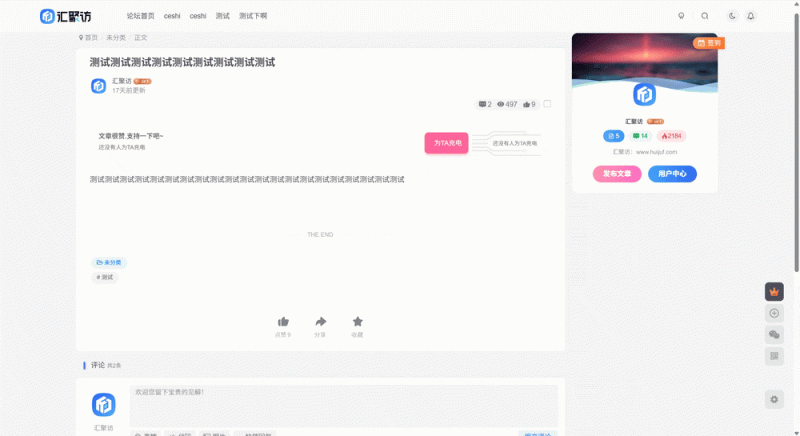
子比主题 – 仿哔哩哔哩充电样式
大家好,今天汇聚访给大家带来一款子比主题仿哔哩哔哩充电效果的样式,这个没有功能仅有样式,如果你需要功能请自行写代码适配,我这里用不到,所以我也就懒得适配,话不多说喜欢的自行部署吧! 演示效果: 代码部署: [hidecontent type="reply"] 首先在文章&列表-文章页面-文章插入内容-在文章内容后-插入内容中添加以下代码: <div class="log-power-pay"> <div class="left"> <span class="tip">文章很赞,支持一下吧~</span> <span class="count mb3"> 还没有人为TA充电 </span> <div> <div class="power-pay-avatar-group flex alc mini-scrollbar scroll-x gap-1 flex-wrap"> </div> </div> </div> <div class="right"> <div class="main-btn" data-toggle="modal" data-target="#ete-log-power-pay">...
7个月前
建站笔记
2025-08-18
08-18
实用
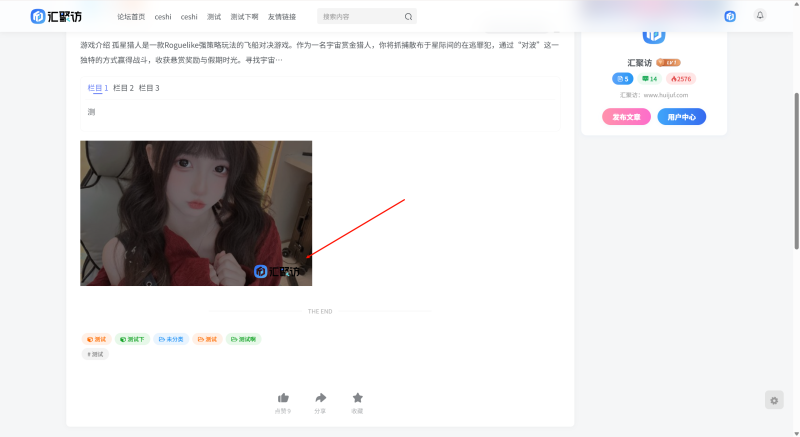
子比主题 – 给文章页图片添加遮罩版权图片
大家好,今天汇聚访给大家带来一款子比主题的文章页里面的图片加上遮罩图片效果,这个效果说实话就是一个装饰,鼠标指向图片之后图片右下角有一个版权图片可自己放自己的logo图片链接,话不多说直接开始! 演示效果: 代码部署: [hidecontent type="reply"] 在子比后台-自定义javascript代码中添加以下代码(图片链接自行替换): //文章内页增加图片遮罩开始 document.addEventListener('DOMContentLoaded', function() { const images = document.querySelectorAll('.article-content > .theme-box > .wp-block-image > img'); images.forEach(img => { // 创建包裹容器 const wrapper = document.createElement('div'); wrapper.style.position = 'relative'; wrapper.style.display = 'inline-block';...
7个月前
建站笔记
2025-08-10
08-10
实用
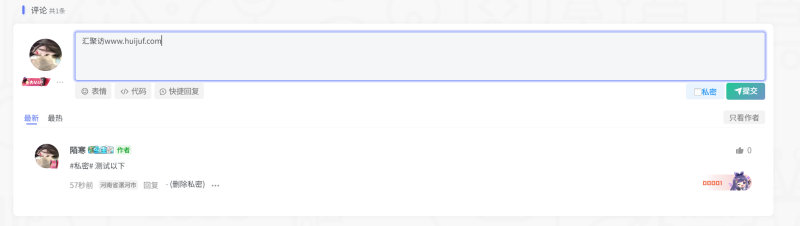
子比主题 – 为评论区添加私密评论
大家好,今天汇聚访给大家带来一款子比主题的私密评论部署教程,这个主要是为了方便用户隐私,代码好像有点bug,但是不影响使用,今天就分享给大家,顺便做个记录,话不多说开始部署教程! 演示效果: [hidecontent type="reply"] func.phpcomments文件js代码 首先我们要在目录:/wp-content/themes/zibll/func.php文件,没有这个文件自己创一个,记住创建之后要记得加php头,话不多说直接开始,将下面的代码放到:/wp-content/themes/zibll/func.php文件里面 function zyx_scripts(){ if (!is_admin()) { $script = array( 'smminjs' => '改为你的js链接', ); foreach( $script as $k => $v ){ wp_register_script( $k, $v, array(), '2.4.0', true); }; wp_enqueue_script('smminjs'); if (is_singular())...
7个月前
建站笔记
2025-04-27
04-27
实用
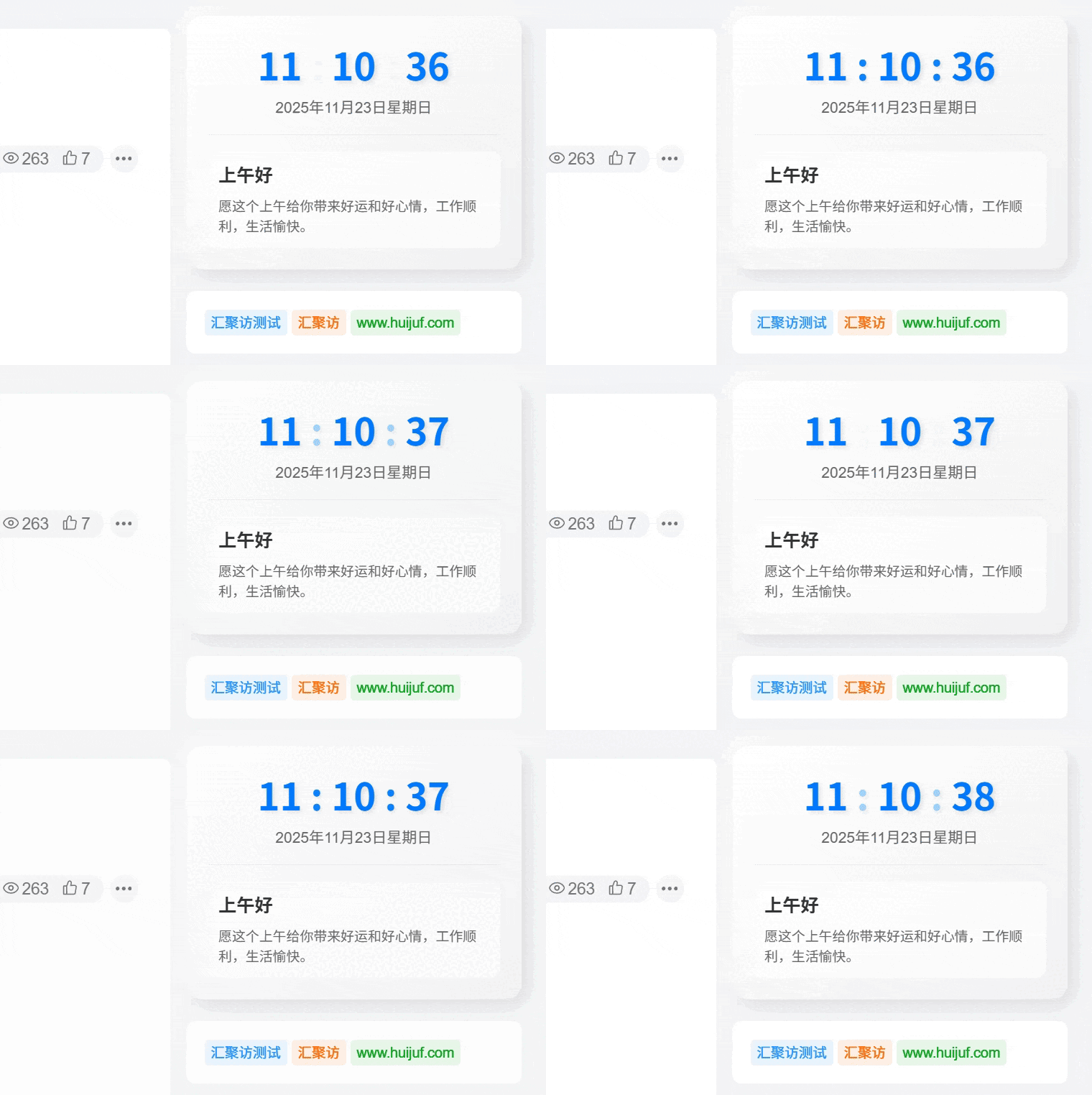
子比主题 – 侧栏动态时钟与问候语小工具
这是一款实用又美观的动态时钟和问候语提醒小工具,不仅为博客增添人情味,还能与子比主题的深色模式完美兼容!有喜欢的自行查看教程部署吧! 演示效果: 代码部署: [hidecontent type="reply"] 直接将下面的代码放到:WP后台–>>外观–>>小工具–>>自定义HTML代码即可! <div class="dynamic-greeting"> <div class="time-section"> <div class="time-display"> <span id="hours">00</span> <span class="colon">:</span> <span id="minutes">00</span> <span class="colon">:</span> <span id="seconds">00</span> </div> <div class="date-display" id="date"></div> </div> <div class="greeting-section"> <div class="greeting-text" id="greeting"></div> <div class="greeting-tip" id="tip"></div>...
11个月前
建站笔记
2025-04-29
04-29
实用
子比主题 – 文章标签美化
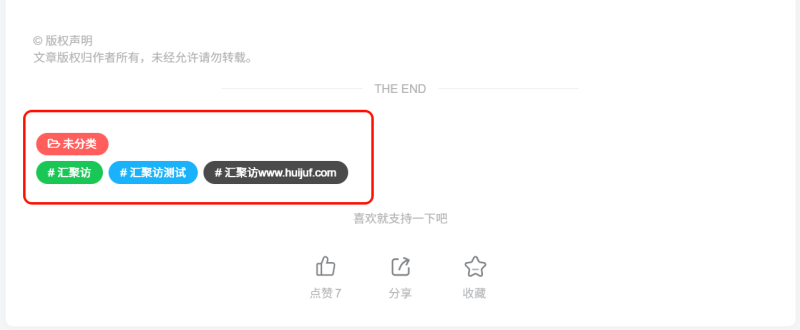
Zibll子比主题的文章标签默认是黑色字体+灰色背景,不是特别美观,如下图。今天站长美化一下,弄成文章随机彩色标签。 演示效果: 代码部署: [hidecontent type="reply"] 定位:主题后台设置 - 自定义CSS代码中添加以下代码即可: /*文章随机彩色标签开始*/ /*www.huijuf.com*/ .article-tags{margin-bottom: 10px}.article-tags a{padding: 4px 10px;background-color: #19B5FE;color: white;font-size: 12px;line-height: 16px;font-weight: 400;margin: 0 5px 5px 0;border-radius: 2px;display: inline-block}.article-tags a:nth-child(5n){background-color: #4A4A4A;color: #FFF}.article-tags a:nth-child(5n+1){background-color: #ff5e5c;color: #FFF}.article-tags a:nth-child(5n+2){background-color: #ffbb50;color: #FFF}.article-tags...
11个月前
建站笔记
2025-05-01
05-01
实用
子比主题 – 新文章发布卡片列表角标
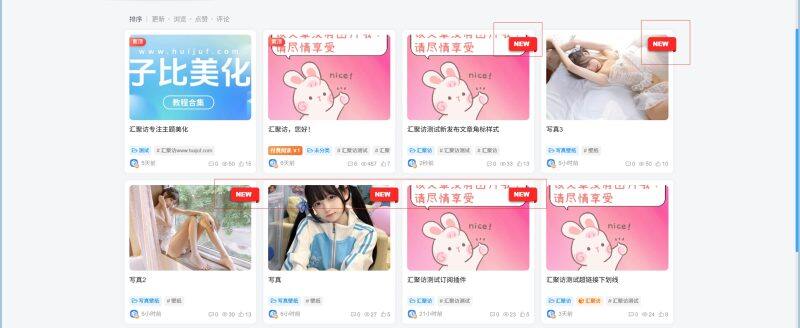
这是一款给子比主题添加的一款功能样式美化,部署完代码后,每当发布新文章右边都会有一个红色的New标签用来提醒用户,同时标签的颜色可自行更改,适配多种文章列表样式,有需要的朋友自行部署吧! 演示效果: 代码部署: [hidecontent type="reply"] PHPCSS 定位:/wp-content/themes/zibll/func.php添加以下代码即可: /*汇聚访www.huijuf.com*/ function add_new_label_to_post_title($title, $id = null) { if (is_admin() || !$id || !in_the_loop()) { return $title; } if (get_post_type($id) !== 'post') { return $title; } $post_time = get_the_time('U',...
10个月前
建站笔记
2025-05-06
05-06
实用
子比主题 – 评论区添加随机夸夸功能
有很多人在网站浏览需要回复,有的比较嫌麻烦不愿意打字,也会收到一些各种评论相对比较杂乱,今天分享一个用夸夸功能,来替代传统的评论一言,将它们分开使用,先看看效果图,再考虑使用不使用! 演示效果: 代码部署: [hidecontent type="reply"] ①CSS②PHP③PHP注意事项 css代码自行本地化 或直接下载 .kuakua-first-box{ margin: auto; width: 440px; border-radius: 16px; bottom: auto; min-height: 10rem; left: 50%; position: fixed; right: auto; top: 50%; transform: translate(-50%, -50%); background: #fff; z-index: 1032; box-shadow:...
10个月前
建站笔记
2025-08-24
08-24
实用
子比主题 – 给登录模块下拉菜单窗口美化
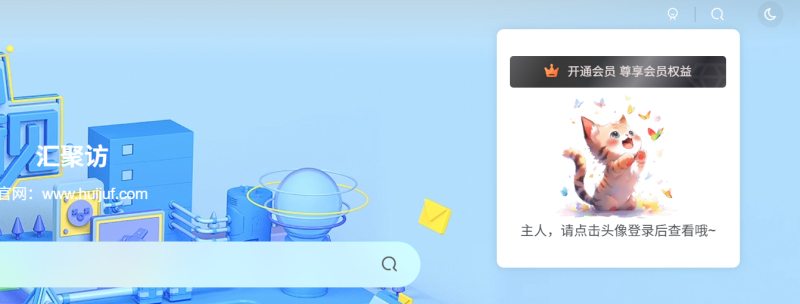
大家好,今天汇聚访给大家带来子比主题登录模块下拉菜单窗口美化,图片可以自行更换,教程需要修改主题文件代码,请先备份前再进行修改,话不多说,有喜欢的自行部署即可! 演示效果: 代码部署: [hidecontent type="reply"] 我们首先到:/wp-content/themes/zibll/inc/functions/zib-header.php文件,然后搜下面的代码: signin-loader"><div class="badg mb6 toggle-radius c-blue"> 随后按照图片的打上注释或者删除,然后添加以下代码: $href .= '<img style="height:150px;weight:150px;" src="https://img.alicdn.com/imgextra/4035900312/O1CN01yCLjR21EAwWbIalSK_!!4035900312.png" class="mascot signin-loader">class="explain">主人,请点击头像登录后查看哦~</class=><div class="flex jsa header-user-href">'; [/hidecontent]
7个月前
建站笔记
2025-11-21
11-21
实用
子比主题 – 仿企业门户首页
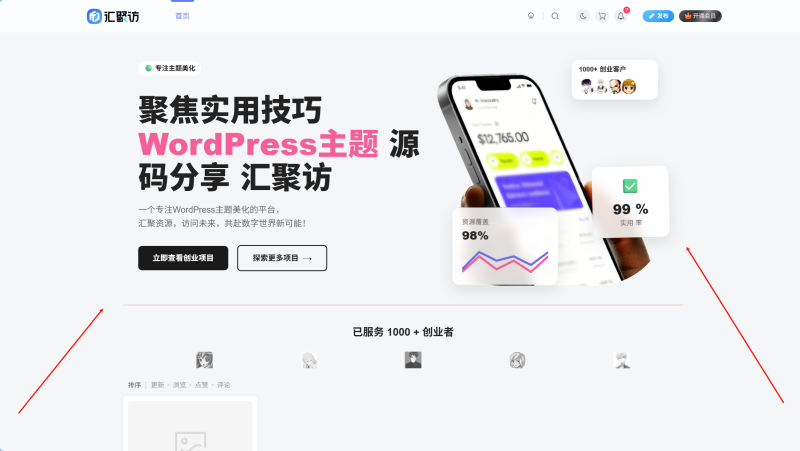
这是一款适配子比主题所仿的企业门户首页样式,两个跳转按钮可自定义跳转链接,同时模板的内容也可以进行修改,创业者下方的头像也是可以自定义更改的,适合一些想用子比做企业站点的站长,同时再提醒一点,搬运本站文章请留本站版权谢谢!喜欢的自行部署吧! 演示效果: 代码部署: [hidecontent type="reply"] 定位:/wp-content/themes/zibll把文章所带附件解压,随后到index.php文件中找到下方代码: <main role="main" class="container"> 在上方代码的头上添加以下代码即可: /*汇聚访:www.huijuf.com*/ <div class="container fluid-widget"> <link rel="stylesheet" href="/wp-content/themes/zibll/css/zibbox/zibbox_corporation.css"> <section class="huijuf-banner-container" style="opacity: 1; transition: opacity 1s ease-in-out;"> <div class="huijuf-content-wrapper"> <div class="huijuf-content-left"> <span class="huijuf-tag-expert">🟢 专注主题美化</span> <h1> 聚焦实用技巧<br> <span>WordPress主题</span>...
4个月前
建站笔记
2025-06-30
06-30
实用
子比主题 – 文章底部添加最后更新时间或过期失效提示
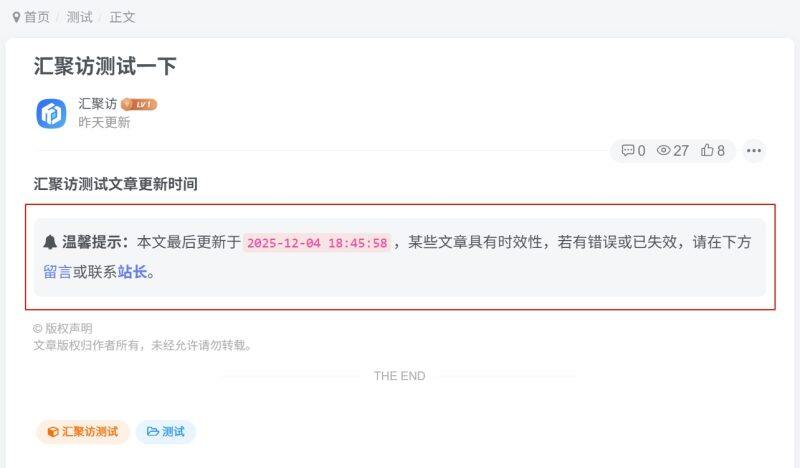
这是给子比主题的文章添加的最后更新时间或过期失效提示的一个功能,此功能可以用来提醒用户目前所浏览的文章是何时更新的,以方便用户更快地反馈问题,教程写的非常详细,需要的自行部署吧! 演示效果: 代码部署: [hidecontent type="reply"] 1.将下面的 PHP 代码加入到主题目录下:/themes/zibll/functions.php 文件中。 //文章过期提示开始www.huijuf.com function article_time_update() { date_default_timezone_set('PRC'); $newdate=time(); $updated_date = get_the_modified_time('Y-m-d H:i:s'); $updatetime=strtotime($updated_date); $custom_content = ''; if ( $newdate > $updatetime+86400) { $custom_content= '<div class="article-timeout"><strong><i class="fa fa-bell" aria-hidden="true"></i>...
9个月前
建站笔记
上一页
1
2
3
4
5
6
…
43
下一页
跳转
欢迎光临~
随便逛逛
博客标签
新窗口打开
复制链接地址
复制选中文本
粘贴文本
站内搜索
百度搜索
复制此图片
下载此图片
用户协议
免责声明
复制地址
关闭热评
轉為繁體
切换模式
热评
登录
没有账号?立即注册
邮箱
验证码
发送验证码
记住登录
账号密码登录
登录
用户名或邮箱
登录密码
记住登录
找回密码
|
免密登录
登录
社交账号登录
QQ登录
微信登录
使用社交账号登录即表示同意
用户协议
、
隐私声明
注册
已有账号,立即登录
设置用户名
邮箱
验证码
发送验证码
设置密码
注册
已阅读并同意
用户协议
、
隐私声明
扫码登录
使用
其它方式登录
或
注册
扫码登录
扫码登录即表示同意
用户协议
、
隐私声明
最近因事业繁忙,随缘更新
如有不便,敬请谅解!
开通会员享特权
专属内容无限访问
下载权限提升至最高级
专属子比付费美化优惠
免费下载更多精品资源
¥29.9
¥39.9
Vip会员 · 立省30元
立即开通
每日签到
在线
扫码关注公众号
获取更多专属内容和最新资讯
展开全屏
返回顶部






 汇聚访
汇聚访